
An Adobe Premiere Pro course equips learners with professional video editing skills, covering everything from basic cuts to advanced effects, color grading, and audio mixing. It’s ideal for aspiring editors, YouTubers, filmmakers, and marketing professionals who want to create polished, high-quality video content.

Features of Adobe Premiere Pro

  • Non-linear editing ? Flexible timeline for complex projects.
  • AI-powered tools ? Auto-reframe, text-based editing, object masking.
  • Color grading ? Professional cinematic looks with LUTs.
  • Audio tools ? Noise reduction, EQ, compression, integration with Audition.
  • Motion graphics ? Titles, captions, animations without leaving Premiere.
  • Collaboration ? Cloud-based workflows, Frame.io integration.

Benefits of Learning Premiere Pro

  • Industry Standard: Used in Hollywood, broadcast TV, and digital media.
  • Career Opportunities: Roles in film editing, YouTube content creation, marketing, and corporate communications.
  • Creative Freedom: Edit 8K, HDR, VR, and RAW footage.
  • Efficiency: AI tools save time and improve workflow.
  • Portfolio Building: Hands-on projects create professional showreels.

Uses of Premiere Pro

  • YouTube & Social Media ? Quick edits, vertical video formats, Shorts/TikTok exports.
  • Film & TV ? Feature films, documentaries, multicam editing.
  • Marketing & Business ? Ads, training videos, corporate presentations.
  • Education ? Teaching video production and storytelling.

Who Should Learn & Why

  • Aspiring Video Editors ? Build professional editing careers.
  • Content Creators ? Enhance YouTube, TikTok, and Instagram videos.
  • Filmmakers ? Edit short films, documentaries, and cinematic projects.
  • Marketing Professionals ? Create engaging ads and branded content.
  • Students ? Gain practical skills for media and IT careers.

Why? Because Premiere Pro combines professional-grade tools, creative flexibility, and industry recognition, making it the most versatile choice for anyone serious about video editing.
30 Hours

Beginners Level

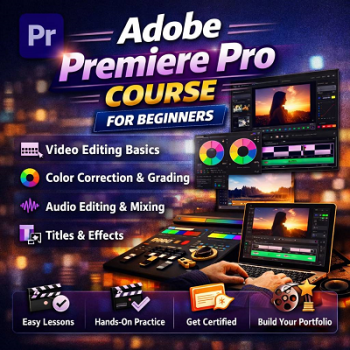
An Adobe Premiere Pro course for beginners is designed to introduce learners to the world of professional video editing in a structured, easy-to-follow way. Starting with the basics of the interface and project setup, the course gradually builds skills in cutting and trimming clips, adding transitions, working with multiple tracks, and organizing media. Learners are then guided through essential creative techniques such as color correction, audio editing, and motion graphics, ensuring they can produce polished, engaging videos. By the end of the program, students will be able to confidently edit and export content for platforms like YouTube, TikTok, or even short films. This course is ideal for content creators, students, and aspiring editors who want to build practical skills, enhance creativity, and open doors to careers in media, marketing, and filmmaking.
FEE : Rs. 12000
Course Syllabus:

Adobe Premiere Pro Beginners Level's Syllabus

BY: ELITE InfoTech
5 Hours Introduction & Setup
Learners begin by exploring the Premiere Pro workspace — panels, timelines, and tools. They learn how to create projects, import media, and organize files efficiently. This module builds confidence in navigating the interface and understanding essential editing terminology.
BY: ELITE InfoTech
5 Hours Cut, Trim & Transition Techniques
This section focuses on the core editing process — cutting clips, trimming footage, adding transitions, and managing multiple tracks. Students practice storytelling through sequencing and timing, mastering the rhythm of video editing.
BY: ELITE InfoTech
5 Hours Visual Enhancement & Cinematic Look
Learners dive into Lumetri Color tools to adjust exposure, contrast, and saturation. They experiment with LUTs and color scopes to achieve professional, cinematic visuals. This module teaches how to maintain consistency across scenes and evoke emotion through color.
BY: ELITE InfoTech
5 Hours Sound Design & Clarity Control
Students learn to clean up audio, balance levels, and mix dialogue, music, and effects. Using the Essential Sound Panel, they apply EQ, compression, and noise reduction to create crisp, immersive soundscapes that elevate video quality.
BY: ELITE InfoTech
5 Hours Dynamic Text & Visual Animation
This module introduces motion graphics — animated titles, lower thirds, and logo reveals. Learners use keyframes and templates to design visually engaging elements, integrating After Effects compositions for advanced creativity.
BY: ELITE InfoTech
5 Hours Rendering & Professional Delivery
The final stage covers export settings, compression formats, and delivery optimization for YouTube, TikTok, and broadcast. Learners complete a short project combining all skills — editing, color, audio, and graphics — to produce a polished, portfolio-ready video.
Video Editing

Course At A Glance

Adobe Premiere Pro has evolved from one of the earliest non-linear video editors in 1991 into today’s industry-standard platform for professional video editing, widely used in film, TV, YouTube, and corporate media. Its history reflects the broader shift from hardware-based editing to software-driven, AI-assisted workflows.

Historical Timeline of Adobe Premiere Pro

  • 1991 – Adobe Premiere
  • Originally developed as Reel Time by SuperMac Technology, acquired by Adobe in 1991. Released as one of the first QuickTime-based non-linear editors for Mac.
  • 1993 – Windows Release
  • Premiere expanded to Microsoft Windows, making editing accessible to a wider audience.
  • 2002 – Final Classic Premiere
  • Version 6.5 marked the end of the original codebase.
  • 2003 – Premiere Pro Launch
  • Adobe rewrote the software entirely, branding it Premiere Pro with advanced professional features.
  • 2006 – Dynamic Link
  • Integration with After Effects allowed seamless motion graphics and VFX workflows.
  • 2011 – Creative Cloud Era
  • Adobe shifted from boxed software to subscription-based Creative Cloud, enabling frequent updates and collaborative features.
  • 2013–2020 – Modern Innovations
  • Introduction of Lumetri Color, VR/360° editing, AI-powered Auto Reframe, text-based editing, and tighter integration with Adobe Stock and Frame.io.
  • 2026 – Rebranding
  • With version 26.0, Adobe dropped the “Pro” suffix, returning to the original name Adobe Premiere after 23 years.

Why This History Matters

  • Pioneering Role: Premiere was among the first affordable software-only NLEs, democratizing video editing.
  • Continuous Innovation: From QuickTime-based editing to AI-assisted workflows, Premiere has consistently adapted to industry needs.
  • Industry Standard: Its longevity and evolution make it the most recognized editing tool in professional media.