Canva is an online graphic design platform that allows users to create a wide array of visual content, from social media graphics and presentations to posters, documents, and more. It's user-friendly, with a drag-and-drop interface, making it accessible even for those without extensive design experience.

Key Features:

  • Templates: Thousands of customizable templates for various types of content.
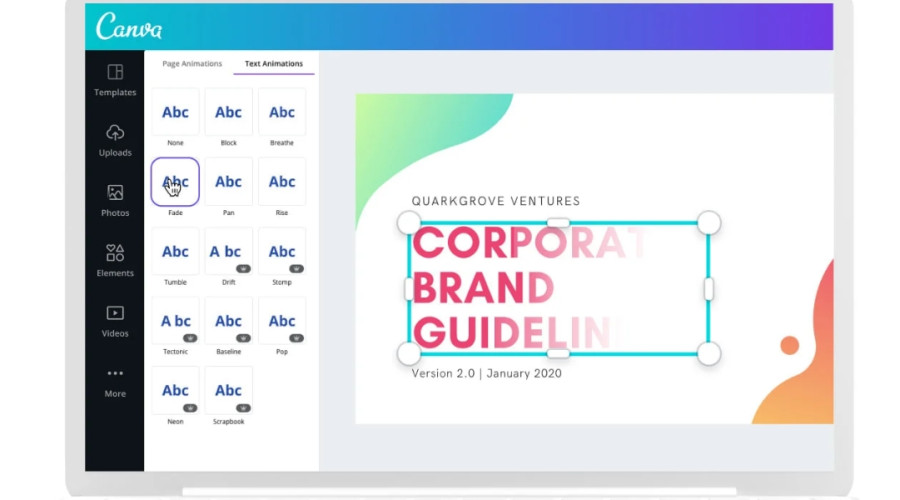
  • Design Tools: A variety of tools for adding text, images, icons, and shapes.
  • Stock Assets: Access to a vast library of stock photos, illustrations, and icons.
  • Collaboration: Features for team collaboration, allowing multiple users to work on a design simultaneously.
  • Export Options: Ability to download designs in multiple formats such as PNG, JPEG, PDF, and more.

Benefits:

  • Ease of Use: Intuitive interface that makes designing simple and quick.
  • Versatility: Suitable for a wide range of projects from business cards to social media posts.
  • Accessibility: Cloud-based, so you can access your projects from any device with an internet connection.
  • Cost-Effective: Offers both free and premium plans to cater to different needs and budgets.

Uses:

  • Social Media: Creating engaging posts and banners.
  • Marketing Materials: Designing flyers, brochures, and business cards.
  • Presentations: Crafting visually appealing slides.
  • Education: Making infographics and educational materials.
  • Personal Projects: Designing invitations, resumes, and personal branding.

Canva democratizes design, enabling everyone from individuals to businesses to create professional-quality graphics easily.
20 Hours

For Beginners Level

Canva is an intuitive graphic design platform perfect for beginners looking to create professional-quality visuals with ease. Its drag-and-drop interface, combined with a vast library of customizable templates, images, icons, and fonts, allows users to quickly design anything from social media posts to presentations, flyers, and more. Beginners can easily navigate through its tools to add text, adjust colors, and apply effects, making the design process accessible and enjoyable even without prior design experience. With Canva’s collaborative features, users can also share their projects and work together in real-time, enhancing creativity and productivity. Whether for personal or professional use, Canva empowers beginners to bring their creative ideas to life effortlessly.
20 Hours

For Professional Level

For professionals, Canva offers an advanced suite of design tools that streamline the creation of high-quality, branded content across various platforms. It enables detailed customization with features like custom templates, brand kits, and advanced typography. Professionals can utilize its extensive library of elements and stock assets to produce polished, engaging visuals efficiently. Canva's collaboration tools facilitate teamwork by allowing real-time editing and feedback. Additionally, its integration with other applications and media platforms ensures seamless workflows. Whether for marketing, presentations, or social media, Canva empowers professionals to produce sophisticated designs with ease and consistency, enhancing both productivity and creativity.

Canva - An Online Graphic Design Platform For Beginners Level's Syllabus

BY: ELITE InfoTech
2 Hours Canva
Getting familiar with the Canva platform and its features.
BY: ELITE InfoTech
2 Hours Canva
Start creating simple designs using templates.
BY: ELITE InfoTech
2 Hours Canva
Mastering text tools and typography in Canva.
BY: ELITE InfoTech
2 Hours Canva
Enhancing designs with images and graphics.
BY: ELITE InfoTech
2 Hours Canva
Understanding design layout and composition principles.
BY: ELITE InfoTech
2 Hours Canva
Applying and managing colors in your designs.
BY: ELITE InfoTech
2 Hours Canva
Designing engaging social media posts.
BY: ELITE InfoTech
2 Hours Canva
Exploring advanced design features.
BY: ELITE InfoTech
2 Hours Canva
Working collaboratively on Canva projects.
BY: ELITE InfoTech
2 Hours Canva
Applying all learned skills in a final project.

Canva - An Online Graphic Design Platform For Professional Level's Syllabus

BY: ELITE InfoTech
2 Hours Canva
Tailoring the Canva workspace for professional design workflows.
BY: ELITE InfoTech
2 Hours Canva
Advanced techniques for text and typography.
BY: ELITE InfoTech
2 Hours Canva
Implementing advanced color schemes and palettes.
BY: ELITE InfoTech
2 Hours Canva
Enhancing images with professional techniques.
BY: ELITE InfoTech
2 Hours Canva
Creating and manipulating vector graphics.
BY: ELITE InfoTech
2 Hours Canva
Designing comprehensive branding materials.
BY: ELITE InfoTech
2 Hours Canva
Crafting professional layouts for complex projects.
BY: ELITE InfoTech
2 Hours Canva
Adding motion and interactivity to designs.
BY: ELITE InfoTech
2 Hours Canva
Enhancing teamwork and project management.
BY: ELITE InfoTech
2 Hours Canva
Applying advanced skills in a comprehensive project.
Graphic Design

Course At A Glance

Canva was founded in January 2013 by Melanie Perkins, Cliff Obrecht, and Cameron Adams in Perth, Australia. The idea originated from Perkins' experience teaching design programs at university, where she recognized the need for a more user-friendly design tool for non-designers. Canva quickly gained popularity for its intuitive interface and wide range of templates, allowing users to create professional-looking designs easily. By the end of its first year, Canva had over 750,000 users. Over the years, Canva has expanded its features and user base, becoming a go-to platform for individuals, businesses, and organizations worldwide. Today, it's celebrated for democratizing design and empowering millions of people to create beautiful visual content.

Canva's popularity stems from its user-friendly design, accessibility, and versatility. Its drag-and-drop interface makes it easy for non-designers to create professional-quality graphics without the steep learning curve of traditional design software. Canva offers a vast library of templates, stock images, and design elements, allowing users to produce visually appealing content quickly and efficiently. Additionally, its cloud-based platform means users can access their projects from any device with an internet connection, making it highly convenient. The affordability, including free and premium plans, also appeals to a broad audience, from individuals and small businesses to large organizations. Canva's collaborative features further enhance its appeal, enabling teams to work together on projects seamlessly. This combination of ease of use, accessibility, and powerful tools has made Canva a go-to choice for millions worldwide.