JavaScript is a powerful, versatile, and widely used programming language that enables dynamic and interactive web development. Initially created by Brendan Eich in 1995 at Netscape, JavaScript has evolved into one of the most essential technologies in web development, alongside HTML and CSS. It is supported by all modern browsers and used in both client-side and server-side applications.

Key Features of JavaScript

  1. Lightweight & Fast – Executes in the browser without requiring compilation.
  2. Interactivity – Enables dynamic web pages, animations, and user interaction.
  3. Object-Oriented – Supports objects, prototypes, and inheritance for efficient coding.
  4. Event-Driven – Responds to user actions like clicks, keypresses, and form submissions.
  5. Cross-Platform – Runs on various devices (PCs, smartphones, and tablets).
  6. Rich Libraries & Frameworks – Uses tools like React, Angular, Vue.js for web applications.
  7. Server-Side Execution – Works with Node.js to handle backend operations.
  8. Asynchronous Programming – Uses Promises, async/await to handle non-blocking operations.

JavaScript Uses & Applications

JavaScript powers almost everything on the web and extends to various domains: ? Web Development – Enhances websites with dynamic content and animations.

  • Frontend Frameworks – Supports libraries like React, Angular, Vue.js for UI design.
  • Backend Development – Works with Node.js to create API servers.
  • Game Development – Builds browser-based games using Canvas API and WebGL.
  • Mobile App Development – Uses React Native for cross-platform applications.
  • AI & Machine Learning – Implements AI algorithms with TensorFlow.js.
  • Blockchain & Web3 – Helps develop decentralized applications using Ethereum smart contracts.

Benefits of Learning JavaScript

  • Easy to Learn & Beginner-Friendly – Great for new programmers.
  • Huge Community Support – Millions of developers contribute to open-source projects.
  • High Demand in Jobs – Required for web, mobile, and backend development.
  • Works Across All Platforms – Desktop, mobile, server-side, and even IoT devices.
  • Rich Ecosystem – Thousands of libraries, frameworks, and APIs available.
  • High Salaries & Career Growth – Web developers proficient in JavaScript are highly valued.

JavaScript Career Paths

  • Frontend Developer – Build interactive web interfaces using React.js, Vue.js, Angular.
  • Backend Developer – Work with Node.js, databases, and APIs.
  • Full-Stack Developer – Handle both frontend and backend programming.
  • Mobile App Developer – Develop cross-platform applications with React Native.
  • Game Developer – Create 2D and 3D games using Phaser.js and Three.js.
  • AI & Data Science – Use TensorFlow.js for machine learning applications.

Learning JavaScript: Next Steps

To master JavaScript, follow this structured approach: 1?? Learn Basics – Variables, data types, operators, loops, functions.

  • Understand DOM Manipulation – Update HTML dynamically using JavaScript.
  • Practice Event Handling – Work with clicks, keystrokes, and timers.
  • Explore Asynchronous Programming – Study Promises, async/await for API calls.
  • Work with Frameworks – Get familiar with React.js, Vue.js, Angular.
  • Build Projects – Create real-world applications like interactive websites, chat apps.
  • Deep Dive into Backend – Use Node.js, Express.js, MongoDB for full-stack development.

JavaScript is the backbone of modern web development and offers endless possibilities for developers.

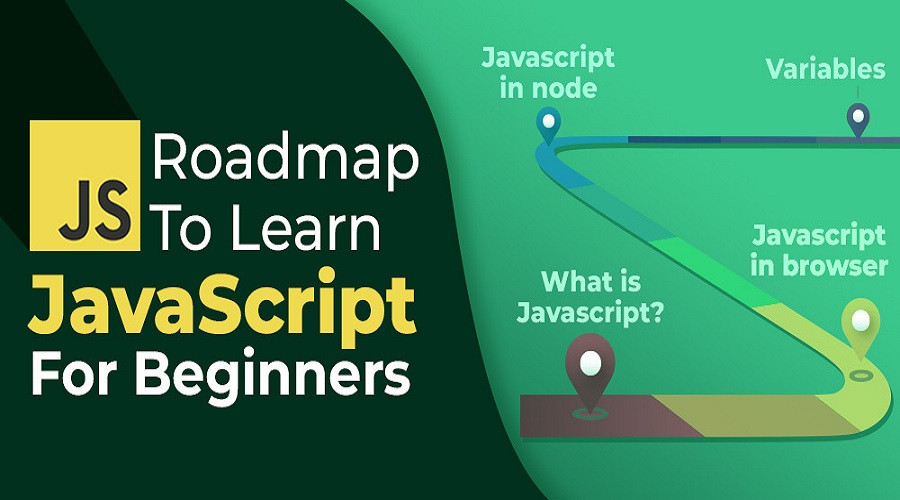
60 Hours

Beginners Level

Learning JavaScript as a beginner opens the door to web development and interactive applications. JavaScript is a versatile, beginner-friendly language used for front-end (web interfaces) and back-end (server-side with Node.js) development. Beginners should start by understanding variables, data types, operators, functions, and control flow (if-else, loops) to build a strong foundation. Next, learning DOM manipulation allows users to interact with web pages dynamically, while event handling enables responses to user actions like clicks or keyboard inputs. JavaScript's asynchronous programming (Promises, async/await) is crucial for managing API requests and loading data efficiently. Exploring modern ES6+ features like let/const, arrow functions, and template literals enhances coding skills. As learners progress, frameworks like React, Vue, or Angular help create sophisticated web applications. Alongside coding, practicing real-world projects and problem-solving on LeetCode, CodePen, or GitHub accelerates mastery.
Course Syllabus:

JavaScript Programming Beginners Level's Syllabus

BY: ELITE InfoTech
2 Hours JavaScript Basics
Learn what JavaScript is, why it's used, and how it works. Set up a coding environment using a browser console or online editors (CodePen, JSFiddle).
BY: ELITE InfoTech
2 Hours JavaScript Basics
Understand var, let, const for variable declaration. Learn data types like numbers, strings, booleans, arrays, and objects.
BY: ELITE InfoTech
2 Hours JavaScript Basics
Use arithmetic (+, -, *, /), logical (&&, ||, !), and comparison operators (==, ===, !=). Learn how operators work in expressions.
BY: ELITE InfoTech
2 Hours JavaScript Basics
Implement if-else statements for decision-making. Use switch-case for multiple conditions.
BY: ELITE InfoTech
2 Hours JavaScript Basics
Master for, while, and do-while loops. Learn break and continue statements.
BY: ELITE InfoTech
2 Hours JavaScript Basics
Write reusable functions using function keyword. Learn arrow functions (()=>) and function scopes.
BY: ELITE InfoTech
2 Hours JavaScript Basics
Work with arrays (push(), pop(), map(), filter()). Handle objects (key-value pairs, object methods).
BY: ELITE InfoTech
2 Hours DOM & Event Handling
Learn how JavaScript interacts with HTML and CSS. Select and manipulate elements using document.querySelector() and document.getElementById().
BY: ELITE InfoTech
2 Hours DOM & Event Handling
Handle user actions like clicks, keyboard input, mouse movements. Learn addEventListener() for dynamic event management.
BY: ELITE InfoTech
2 Hours DOM & Event Handling
Learn how to handle HTML forms in JavaScript. Validate user input to prevent errors.
BY: ELITE InfoTech
2 Hours DOM & Event Handling
Work with setTimeout() and setInterval() to create timed actions.
BY: ELITE InfoTech
2 Hours DOM & Event Handling
Use string methods (split(), replace(), toUpperCase(), toLowerCase()). Perform numeric calculations using Math methods.
BY: ELITE InfoTech
2 Hours DOM & Event Handling
Learn how to store data using localStorage and sessionStorage. Build a simple To-Do list project using local storage.
BY: ELITE InfoTech
2 Hours DOM & Event Handling
Understand common errors (syntax errors, runtime errors). Use debugging tools (console.log(), breakpoints in DevTools).
BY: ELITE InfoTech
2 Hours Advanced JavaScript & Asynchronous Programming
Learn how JavaScript handles asynchronous tasks. Use callback functions for deferred execution.
BY: ELITE InfoTech
2 Hours Advanced JavaScript & Asynchronous Programming
Understand Promises (.then(), .catch()). Use async/await for better asynchronous coding.
BY: ELITE InfoTech
2 Hours Advanced JavaScript & Asynchronous Programming
Learn how to make API calls using fetch(). Work with JSON data (JSON.stringify(), JSON.parse()).
BY: ELITE InfoTech
2 Hours Advanced JavaScript & Asynchronous Programming
Learn modern JavaScript features like let, const, arrow functions, template literals.
BY: ELITE InfoTech
2 Hours Advanced JavaScript & Asynchronous Programming
Understand JavaScript modules (export, import).
BY: ELITE InfoTech
2 Hours Advanced JavaScript & Asynchronous Programming
Explore function closures and variable hoisting concepts.
BY: ELITE InfoTech
2 Hours Advanced JavaScript & Asynchronous Programming
Learn about constructors, prototypes, and inheritance.
BY: ELITE InfoTech
2 Hours Frameworks, APIs & Final Project
Learn React.js, Vue.js, or Angular basics. Understand state management and component-based development.
BY: ELITE InfoTech
6 Hours Frameworks, APIs & Final Project
Learn React.js, Vue.js, or Angular basics. Understand state management and component-based development.
BY: ELITE InfoTech
6 Hours Frameworks, APIs & Final Project
Implement Stacks, Queues, Linked Lists using JavaScript.
BY: ELITE InfoTech
10 Hours Frameworks, APIs & Final Project
Build a weather app, to-do list, or e-commerce shopping cart.
BY: ELITE InfoTech
2 Hours Frameworks, APIs & Final Project
Learn about Node.js for backend development. Explore JavaScript for mobile apps (React Native) and AI (TensorFlow.js).
Programming

Course At A Glance

History of JavaScript

JavaScript was created in 1995 by Brendan Eich while working at Netscape Communications. It was originally developed in just 10 days and named Mocha, later changed to LiveScript, and finally JavaScript to capitalize on Java's popularity at the time.

Timeline of JavaScript Evolution:

  • 1995 – Creation of JavaScript: Designed as a lightweight scripting language for web browsers.
  • 1996 – Standardization Begins: Microsoft introduced JScript in Internet Explorer.
  • 1997 – ECMAScript Standard (ES1): JavaScript was officially standardized as ECMAScript (ES) by ECMA International.
  • 1999 – ES3 Release: Added new features like regular expressions and exception handling.
  • 2009 – ES5 Improvements: Introduced JSON support and other enhancements.
  • 2015 – Major Update (ES6/ECMAScript 2015): Brought modern features like let/const, arrow functions, promises, and classes.
  • 2017 – ES8 Enhancements: Introduced async/await for better asynchronous programming.
  • 2020–2023 – Continuous Updates: JavaScript continues to evolve, with improvements in performance, security, and functionality.

Impact of JavaScript

JavaScript is now one of the most essential programming languages, powering interactive websites, frontend frameworks (React, Angular, Vue), backend systems (Node.js), mobile apps, and even AI applications. It has transformed web development and remains the most widely used language globally.